
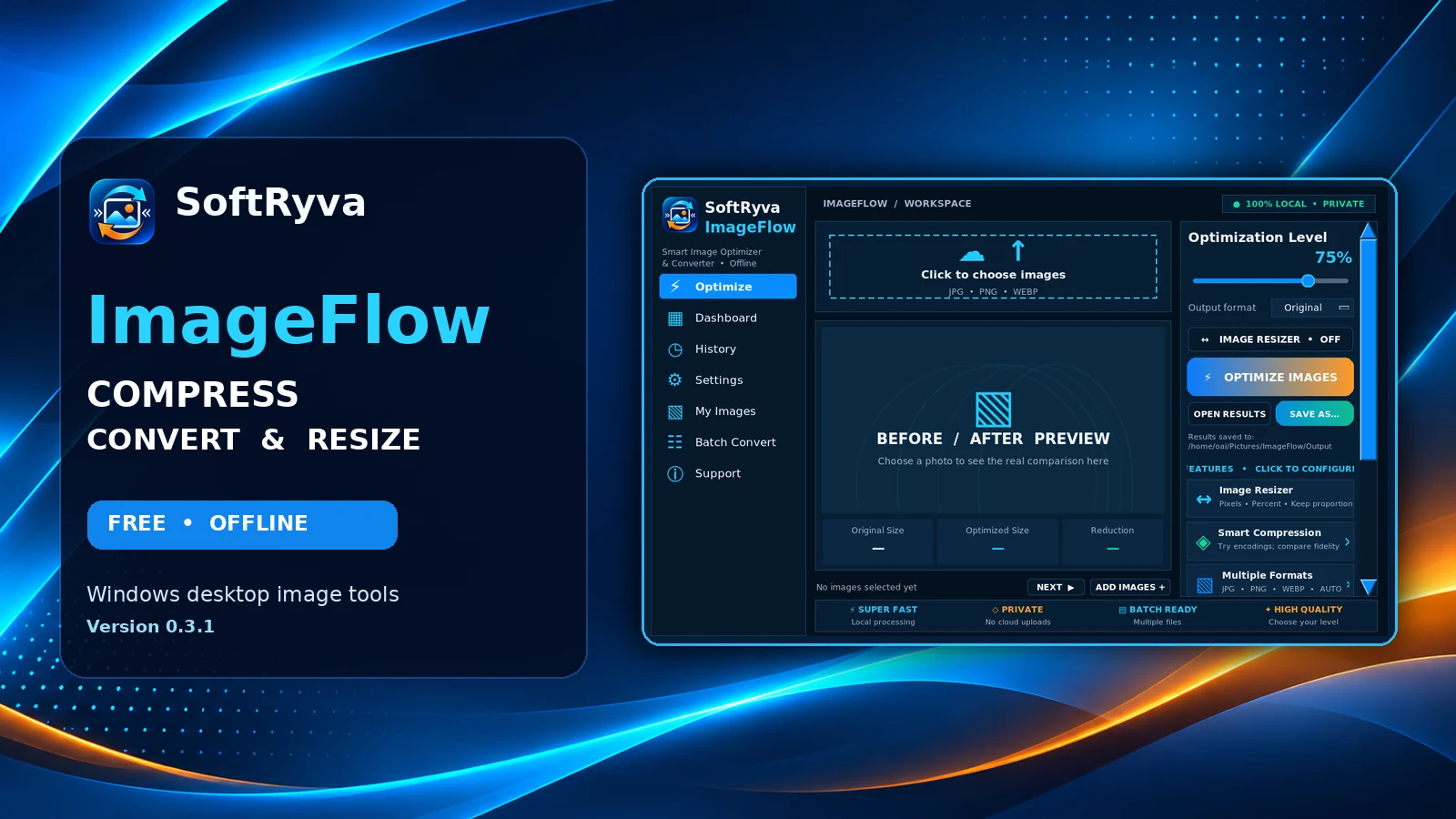
Free offline image compression, conversion and resizing for Windows • Version 0.3.1 • Release candidate
SoftRyva ImageFlow is our first original Windows utility: a lightweight image workflow tool designed to help you compress, convert and resize everyday pictures from one interface. It works on your computer, without sending photos to a cloud service or asking you to create an account.
Whether you prepare images for a website, organize product photos, send pictures by email or work with multiple formats, ImageFlow brings several frequently used tasks together in a single desktop app.
Preview: SoftRyva ImageFlow desktop interface. Screenshots show the V0.3.1 interface; appearance may vary slightly between systems.
What can SoftRyva ImageFlow do?
- Optimize image files: adjust the output quality for JPEG and WebP images and compare file sizes before and after processing.
- Smart Compression: evaluate multiple encoding choices and select a result based on estimated visual fidelity and file size. This uses image-processing techniques, not an AI cloud service.
- Convert file formats: choose JPEG, PNG, WebP, Original or Auto, with transparency-preserving behavior in suitable formats.
- Resize by pixels or percentage: change image dimensions while keeping the original proportions when the aspect-ratio lock is enabled.
- Batch image processing: add multiple pictures and apply the selected conversion, resizing and optimization settings.
- Before/after comparison: view an image preview and check the file-size difference.
- Keep original files safe: results are saved as new files rather than overwriting the source pictures.
Image Resizer: control dimensions in seconds
The integrated Image Resizer offers two practical modes. In Pixels mode, set a target width or height, or define a bounding box. In Percent mode, select a scale such as 50% to make the new width and height half the original dimensions.
The Keep original aspect ratio option is on by default to avoid unwanted stretching. You can also prevent upscaling, so smaller images are not enlarged accidentally. Resizing works with individual images and batch jobs.
Made for private, offline processing
ImageFlow handles image processing locally on your PC. Your pictures are not uploaded to SoftRyva or any third-party server as part of optimization, conversion or resizing. No account is required for its image tools. The installer build process may need internet access to obtain development dependencies; the installed application does not need internet to process pictures.
The History and Dashboard screens provide local summaries of completed work. After processing, you can open the output folder or choose where to save a result.
How to use ImageFlow
- Launch ImageFlow and select Add Images or click the upload area.
- Choose your output format: Original, Auto, JPEG, PNG or WebP.
- If needed, open Image Resizer and set your preferred pixel size or percentage.
- Adjust optimization settings or use Smart Compression.
- Click Optimize Images, review the result and select Open Results or Save As.
Version 0.3.1 and Windows compatibility
| Product | SoftRyva ImageFlow |
|---|---|
| Version | 0.3.1 — early release |
| Platform | Windows 10 / Windows 11 (intended platforms) |
| Image formats | JPEG, PNG, WebP |
| Image processing | Offline on the local computer |
| Price | Free |
| Developer | SoftRyva |
Download SoftRyva ImageFlow
Free image compression, conversion and resizing. Download the Windows installer from the project's GitHub Release.
Download for Windows — V0.3.1GitHub Releases • Windows setup (.exe) • Early release
Download note: The link above was provided by the SoftRyva publisher for version 0.3.1. This is an early release; we recommend checking the filename and confirming the setup works on your Windows device. This article does not claim independent verification or security certification of the installer.
Frequently asked questions
Is ImageFlow free?
Yes. ImageFlow V0.3.1 is offered as a free SoftRyva Windows desktop utility.
Will my photos be uploaded to the cloud?
No. ImageFlow's processing functions run locally on the computer; it does not upload images for conversion, compression or resizing.
Can I resize and convert several images together?
Yes. Batch processing applies your selected resizing and format settings to multiple input files.
Does compression preserve every detail?
Not always. JPEG and lossy WebP settings trade some image fidelity for smaller files. Review results at full size when detail matters. Resizing also changes pixel dimensions.
Will ImageFlow overwrite my pictures?
No. Its normal workflow saves new output files and leaves the input pictures untouched.
The beginning of SoftRyva original software
ImageFlow marks the start of our own software releases. Our goal is straightforward: build practical, clearly designed utilities that respect users' time and make routine computer tasks easier. Follow SoftRyva for the completed ImageFlow release, future improvements and more original desktop tools.